If your website runs on WordPress or Joomla, it runs on PHP, the programming language that does the work behind the scenes on your web server. Every PHP version has a fixed lifespan, and the version that a lot of small business sites still use, PHP 8.2, reaches the end of its life on 31 December 2026. That’s only a few weeks away.
This guide explains what that means, how to check which version your site is on, and how to move to a newer one safely, without breaking anything.
What does end of life mean for PHP?
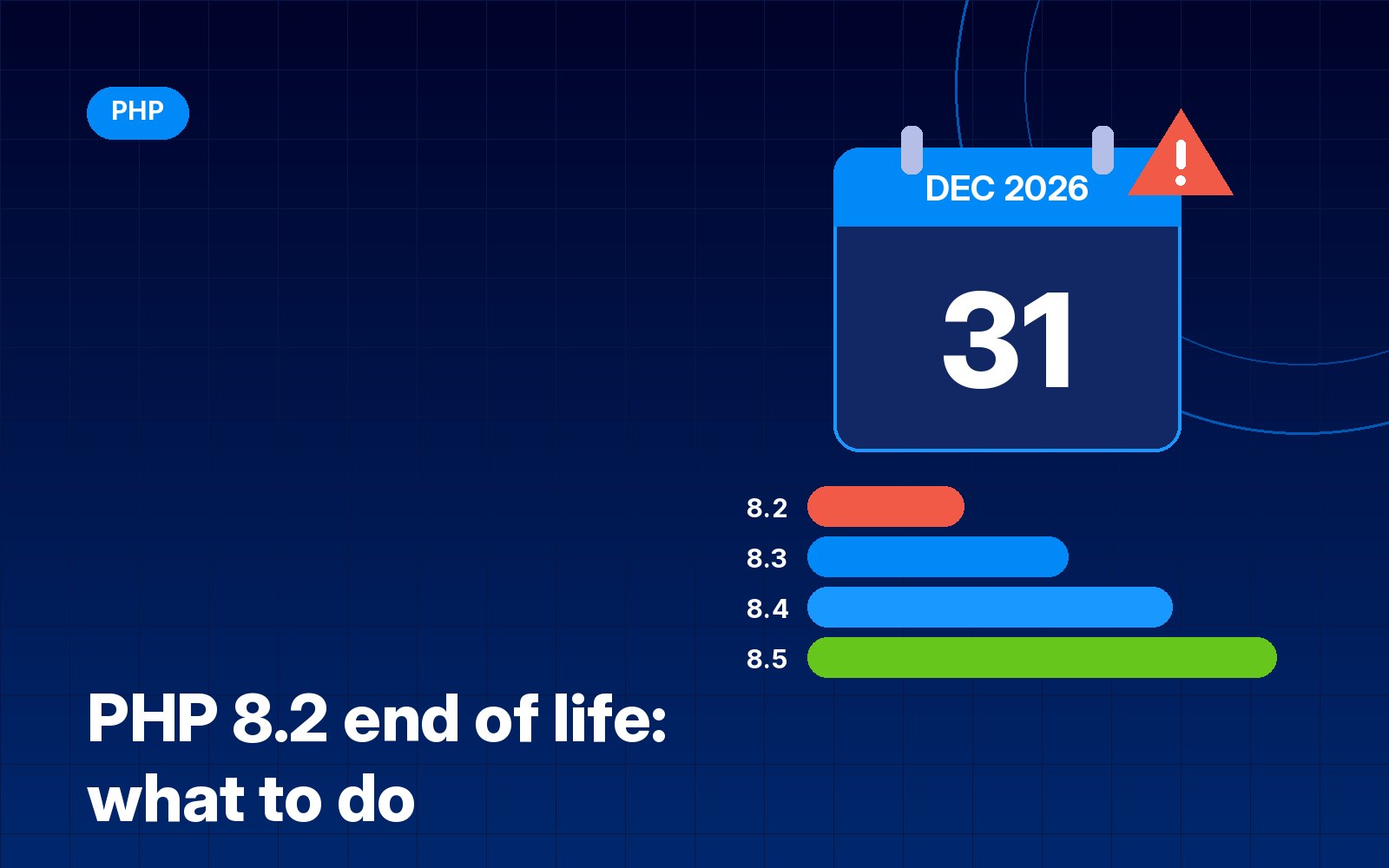
The PHP project publishes a supported versions table on php.net. Each release gets two years of active support, where bugs and security problems are fixed, followed by two more years of fixes for critical security issues only. After those four years the version reaches end of life, and it gets no updates at all, not even for serious security holes.
Here’s where things stand, using the dates from php.net:
| PHP version | Released | Security fixes until |
|---|---|---|
| 8.2 | 8 Dec 2022 | 31 Dec 2026 |
| 8.3 | 23 Nov 2023 | 31 Dec 2027 |
| 8.4 | 21 Nov 2024 | 31 Dec 2028 |
| 8.5 | 20 Nov 2025 | 31 Dec 2029 |
Anything older than 8.2, including PHP 8.1, 8.0 and the 7.x versions, is already past end of life. If your site is on one of those, it’s been running without security fixes for some time.
Will my website stop working on 1 January?
No. Nothing switches off at midnight. Your site will carry on loading exactly as it did the day before. The problem is quieter than that: when a new security flaw is found in PHP 8.2 next year, nobody will fix it. Your site just keeps running on software with known holes in it.
That isn’t a theoretical risk. Earlier this year I wrote about critical PHP vulnerabilities that let attackers run code on a server, and the fix for that kind of problem only arrives for versions that are still supported.
There’s a second, slower problem too. Plugin, theme and extension developers gradually drop support for old PHP versions, so over time you can find you can’t install updates, or new versions simply refuse to run. Some hosts also move old versions off their servers or charge extra to keep them.
What version do WordPress and Joomla recommend?
WordPress’s official requirements page recommends PHP 8.3 or greater. WordPress will still run on versions as old as 7.4, but the same page warns that those older versions have reached end of life and may expose your site to security vulnerabilities.
Joomla 6 is stricter. Its technical requirements list PHP 8.3 as the minimum and 8.4 as the recommended version, so a Joomla 6 site can’t run on 8.2 at all. If you’re weighing up the two systems, my WordPress vs Joomla comparison covers the bigger differences.
For most small business sites, PHP 8.3 or 8.4 is a sensible target right now. Both are supported for at least another year, and they’re widely tested by plugin and extension developers.
How to check which PHP version your site uses
There are a few easy ways to find out:
- In WordPress: go to Tools, then Site Health, then the Info tab, and open the Server section. It shows the PHP version. Site Health will also flag an outdated version as a recommended improvement.
- In Joomla: go to System, then System Information. The PHP version is listed near the top.
- In your hosting control panel: cPanel usually has a MultiPHP Manager or a Select PHP Version tool, and Plesk shows the PHP version in each domain’s hosting or PHP settings. My cPanel vs Plesk guide explains how the two panels are laid out.
- Ask your host. If you can’t find it, a quick support ticket will get you an answer.
How to upgrade PHP safely
On most hosting, changing the PHP version is a single drop-down menu. The risky part isn’t the switch itself, it’s an old plugin or theme that doesn’t like the newer version. A little preparation takes care of that:
- Take a full backup. Back up both the files and the database, and make sure you know how to restore it. Many hosts include a backup tool in the control panel.
- Update everything first. Update WordPress or Joomla itself, then every plugin, theme, extension and template. Newer versions are far more likely to support newer PHP.
- Remove what you don’t use. Deactivated plugins and old themes can still cause errors, and they’re a security risk anyway. Delete anything you no longer need.
- Look for abandoned plugins. If a plugin hasn’t been updated in a couple of years, check whether it’s still maintained. It’s the most likely thing to break, and it may be time to find a replacement.
- Test on a staging copy if you can. Many hosts let you clone your site to a staging area. Switch the staging copy to the new PHP version first and click through the important pages and forms.
- Switch the live site. Change the PHP version in your control panel, then check your homepage, contact forms, shop checkout and admin area.
- Keep an eye on it. Watch for error messages or odd behaviour over the next few days. If something goes badly wrong, you can usually switch back to the previous version in the same menu while you fix it.
It’s often worth stepping straight to 8.3 or 8.4 rather than going one version at a time. You do the testing once, and you get longer before you have to think about it again.
What if something breaks?
If you see a white screen or a critical error message after switching, don’t panic. Switch PHP back to the previous version so the site is working again, then find the culprit. WordPress normally emails the site admin with details of which plugin or theme caused a fatal error, and your hosting error log will usually name the file. Once you’ve updated or replaced the problem plugin, try again.
Don’t leave it until the last week
PHP 8.2 doesn’t stop working on 1 January, but leaving it means running your site on unpatched software from then on. Checking your version takes two minutes, and for most sites the upgrade is quick once there’s a backup in place. December is busy for everyone, so it’s worth doing now while there’s time to fix anything that comes up.
Sources
Need help?
I look after WordPress and Joomla sites and hosting for small businesses in Milton Keynes and across the UK. If you’d like me to check your PHP version and handle the upgrade safely, get in touch.